








Digital transformation has become one of the largest investment categories for enterprises worldwide. IDC projects global digital transformation spending will reach nearly $4 trillion by 2027, as organizations continue investing in cloud platforms, enterprise applications, automation, data infrastructure, and AI. Despite that massive investment, over 70% of digital transformations fail to realize their initial value.
That value is realized after implementation. A CRM rollout, ERP migration, HCM implementation, procurement modernization, or AI initiative creates business impact only when users adopt new workflows, can complete tasks correctly, and process owners can improve performance over time.
And digital transformation initiatives succeed only when organizations focus on the user-side of technology investments, like adopted workflows, measurable behavior change, and continuous UX improvement.
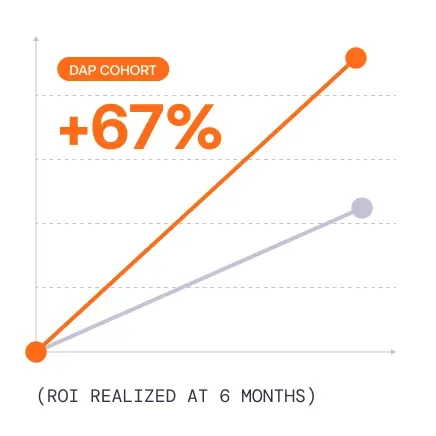
Our 2026 State of Enterprise Digital Transformation ROI Report highlights this, finding the added value that organizations see by investing in a digital adoption platform (DAP) as an enablement layer that accelerates time-to-value, increases overall ROI, and improves adoption measurement clarity. It found that organizations who invest in a DAP reported:
- 64% faster time-to-value for new enterprise software rollouts.
- 37% lift in user proficiency at the three-month milestone.
- 67% lift in overall value realization from enterprise software investments.
This article introduces the Whatfix ADOPT Framework, an enterprise-grade digital transformation framework that connects strategy to execution, with a user-centric approach to value realization. It helps enterprise teams align on outcomes, design workflows, onboard users, demonstrate digital adoption, and continuously tune transformation initiatives.
Why Digital Transformation Strategies Break Down After Rollout
Many digital transformation strategies look strong during planning and leaders feel confident in its potential, until users are expected to complete workflows in production environments.
That is where strategy meets user friction. Downstream bottlenecks, inefficiencies, and risks began to rear their ugly head across the impacted teams.
- Employees don’t know which fields are mandatory, which approval path to follow, which process changed, which system owns the next step, or which exception rules apply.
- Managers lack the insight into adoption.
- IT and enablement teams are not confident that users are ready to use live systems or where training or compliance gaps exist.
- Support teams are overwhelmed with repeated, preventable “how-to” process-related questions.
These issues create downstream bottlenecks, inefficiencies, and risks across the impacted teams. A transformation program can launch successfully and still struggle to create value if users are confused, unsupported, or pushed back toward legacy habits.
Common digital transformation risks include:
| Transformation Risk | Impact |
| Users lack workflow clarity | Employees understand the tool at a high level but struggle with role-specific tasks |
| Training happens outside the flow of work | Users forget instructions before they need them and rely on memory, documentation, or peer support |
| Legacy habits persist | Teams revert to spreadsheets, emails, workarounds, or old processes |
| Support volume increases | SMEs, help desks, and application owners become the default enablement layer |
| Analytics are incomplete | Leaders cannot see where users abandon workflows, make errors, or need additional support |
| Process compliance varies | Different teams use the same system in inconsistent ways |
| Objectives are unclear | Teams report launch activity without a shared view of business impact |
| ROI is hard to prove | Transformation leaders cannot connect adoption, workflow performance, and business outcomes |
What Digital Transformation Frameworks Overlook
A digital transformation framework is a structured model for planning, implementing, measuring, and improving technology-led business change. It gives leaders a repeatable way to connect business outcomes, workflows, systems, users, training, analytics, and governance.
At a practical level, a strong framework helps enterprise teams answer five key questions:
- What business outcome are we trying to change?
- Which workflows need to improve for that outcome to happen?
- Which users need to adopt new tools, tasks, and behaviors?
- How will we support those users before, during, and after launch?
- How will we measure whether the transformation is working?
Traditional transformation frameworks cover the familiar pillars: strategy, leadership, technology, governance, process redesign, and change management. Those are necessary, but leave a critical gap between the rollout plan and the end user’s daily work once the system is live.
Closing the Adoption Gap at the Point of Work
Organizations that create measurable value from transformation investments share a key trait: they treat user enablement as a core pillar of the transformation framework. Enablement becomes an umbrella term for cross-functional responsibilities across user readiness, change communication, role-based training, in-app guidance, self-service support, adoption analytics, and continuous workflow improvement.
This aligns with the People, Process, and Technology Model. Adoption is where the three pillars converge: people need to understand the change, processes need to be executable in real workflows, and technology needs to support users at the moment work happens.
That means adoption must be intentionally designed into the transformation operating model. It starts before launch with workflow design and user readiness. It continues during rollout with contextual guidance and in-the-moment support. It matures after go-live through analytics, feedback, and continuous optimization.
To deliver transformation value, enablement must reach the point of work. Modern enterprise transformation frameworks need to account for workflow execution, from go-live readiness to user proficiency, from one-time training to continuous improvement.
We at Whatfix built the ADOPT Framework around that operating reality: Strategy → Workflows → Adoption → Measurement → Optimization
The ADOPT Framework for Digital Transformation
The Whatfix ADOPT Framework gives enterprise transformation teams a practical model for turning digital strategy into workflow execution and measurable value.
The five stages of the ADOPT Framework are broken into:
| Stage | Purpose |
| Align Outcomes | Define the business value the transformation must deliver. |
| Design Workflows | Map and improve the workflows most critical to the business outcome. |
| Onboard Users | Replace traditional, static training with hands-on simulation training before real work. Support employees after go-live, in the flow of work, with workflow guidance and self-support. Govern how users complete workflows. |
| Prove Adoption | Measure behavior change, workflow performance, productivity, and ROI back to key business outcomes. |
| Tune Continuously | Improve outcomes over time by removing process friction, adding new guided workflows, resolving root-case support issues, and more. |
Align Outcomes
Digital transformation must start with a clear definition of value with intended outcomes.
Too many initiatives start with the technology: implement a new CRM, migrate to a cloud ERP, launch a new HCM, automate a service workflow, deploy an AI assistant. Those decisions matter, but technology selection must ultimately align with business outcomes.
The align stage defines what the transformation must improve and how success will be measured.
Start by identifying:
| Alignment Question | Example |
| Which business outcome are we targeting? | Reduce sales cycle time, improve employee productivity, increase process compliance, lower support volume, eliminate rework, decrease tier-2 escalations, accelerate cycle time, etc. |
| Which workflows influence that outcome? | Opportunity creation, quote approval, invoice processing, employee onboarding, claims intake |
| Which users are affected? | Consider the various types of users. For an HCM and HR service delivery transformation, this can include HR admins, people managers, and end-user employees. A CRM may include admins, sellers, team managers, marketers, support agents, CSMs, and more.
This can include internal and external users (business partners, customers, consultants), region-based users, or other cohort-based breakdowns. |
| What behavior needs to change? | Examples can include completing tasks in the system, following new approval paths, using new data fields, adopting AI features, etc |
| How will we measure progress? | Workflow completion, task cycle time, error reduction, support tickets, ticket resolution time, feature adoption, time-to-proficiency, customer satisfaction |
A transformation team cannot prove ROI if it never defines what value looks like. The alignment stage gives every stakeholder a shared operating definition of success before launch pressure takes over.
Design Workflows
The Design stage maps the workflows users must complete and identifies where friction, confusion, risk, or inefficiency can prevent adoption.
This stage should include current-state and future-state workflow mapping. For each priority workflow, transformation teams should define:
| Workflow Design Element | Example |
| User role | Sales rep, claims adjuster, procurement specialist, HR manager |
| Trigger | New opportunity, supplier request, employee transfer, customer complaint |
| Required systems | Enterprise systems like CRM, ERP, HCM, ATS, or service platforms. Can include vertical systems like insurance claims systems, core banking platforms, patient management or EHR systems, etc. |
| Key tasks | Create record, submit request, validate data, route approval, close workflow |
| Risk points | Missing fields, incorrect routing, duplicate entries, compliance errors |
| Enablement moments | Where users need guidance, validation, nudges, or support |
| Success signal | Completed workflow, reduced error rate, faster cycle time, fewer support tickets |
The goal is to design the workflow around real user behavior. That includes how users move across systems, where they hesitate, which tasks are infrequent or complex, and which process steps create downstream risk when completed incorrectly.
For example, a CRM transformation can create real value when sales reps consistently capture clean opportunity data, follow qualification steps, use the right content, progress deals through the appropriate stages, and provide leaders with reliable pipeline visibility that is actionable
A procurement transformation succeeds not when a new system is rolled out, but when employees submit requests correctly, suppliers are onboarded efficiently, approvals move through the right path, and spend data becomes more reliable.
Onboard Users in the Flow of Work
Traditional training asks users to remember the workflow later. Digital transformation adoption requires support at the moment the workflow happens.
The user onboarding stage equips employees with contextual, role-based guidance inside the systems they use every day. This is where transformation moves from communication to behavior change.
Effective onboarding that lives at the moment of real work should include:
| Onboarding Method | How It Supports Adoption |
| Role-based onboarding | Gives each user group the guidance relevant to its workflows |
| Interactive walkthroughs | Helps users complete key tasks step by step |
| Task lists | Creates a clear path through onboarding or new process requirements |
| Smart Tips | Explains fields, rules, and next steps directly in the application |
| Pop-ups and nudges | Reinforces important changes or deadlines |
| Self Help | Lets users find support without leaving the workflow |
| Sandbox training | Allows users to practice complex tasks before using live systems |
| Just-in-time reinforcement | Supports users when they encounter infrequent or high-risk tasks |
This multi-content guidance system works because users are asked to adopt workflows across multiple systems, business rules, exceptions, and role-specific responsibilities.
For example:
- A sales rep may need guidance across CRM, CPQ, and forecasting workflows.
- An HR manager may need help completing onboarding, transfer, and performance workflows in an HCM.
- A finance user may need support for ERP tasks that happen only once per quarter.
- A claims processor may need guardrails for regulated workflows where errors create risk.
- A procurement specialist may need guidance across intake, supplier onboarding, approvals, and contract workflows.
Onboarding in the flow of work turns enablement into part of the user experience. It reduces dependency on memory, static documentation, and repeated support escalation.
Prove Adoption and Business Impact
The Prove stage measures whether users are adopting the new system, completing target workflows, reducing errors, relying less on support, and contributing to business outcomes.
This requires visibility into how users behave inside applications and workflows. Teams need to know where users engage, where they drop off, where they search for help, where they make errors, and where guidance improves task completion.
Useful adoption and impact signals include:
| What to Prove | Example Signals |
| Users are adopting the system | Active users, repeat usage, role-based engagement |
| Users are adopting priority workflows | Workflow starts, completions, abandonment points |
| Users are becoming proficient | Time-to-proficiency, onboarding completion, training engagement |
| Support burden is decreasing | Ticket volume, self-help usage, repeated question reduction |
| Workflow quality is improving | Error reduction, rework reduction, compliance completion |
| Business value is increasing | Productivity lift, cycle time reduction, cost reduction, ROI |
The best measurement approach combines adoption analytics with business performance data. Adoption data shows whether users changed their behavior. Business data shows whether that behavior produced value. Examples include
| Initiative | Adoption Metric | Business Outcome |
| CRM transformation | Opportunity workflow completion | Better pipeline hygiene and forecast accuracy |
| ERP modernization | Correct transaction completion | Reduced rework and faster close cycles |
| HCM transformation | Employee self-service adoption | Lower HR ticket volume |
| Procurement transformation | Guided intake completion | Faster approvals and cleaner spend data |
When adoption is measured, transformation teams can move from opinion to evidence. They can identify which workflows work, which user segments need more support, and which process changes are creating measurable value.
Tune Continuously
A core element of digital transformation is the ability to enable continuous operational improvement and find new opportunities to create added value.
The tune stage uses product analytics, change feedback loops, support patterns, and workflow performance data to benchmark usage, identify friction, launch targeted interventions, and improve adoption over time.
Continuous post-launch optimization and fine-tuning can include:
| Optimization Activity | Purpose |
| Refreshing in-app guidance | Keeps support aligned with changing workflows |
| Updating onboarding flows | Improves time-to-proficiency for new users |
| Analyzing search behavior | Reveals where users need more help and identifies common root-cause problems |
| Reviewing workflow drop-off | Identifies confusing steps or process friction |
| Segmenting guidance by role | Improves relevance for different user groups |
| Expanding to new apps | Scales adoption across the enterprise stack |
| Building governance | Keeps adoption programs consistent across teams |
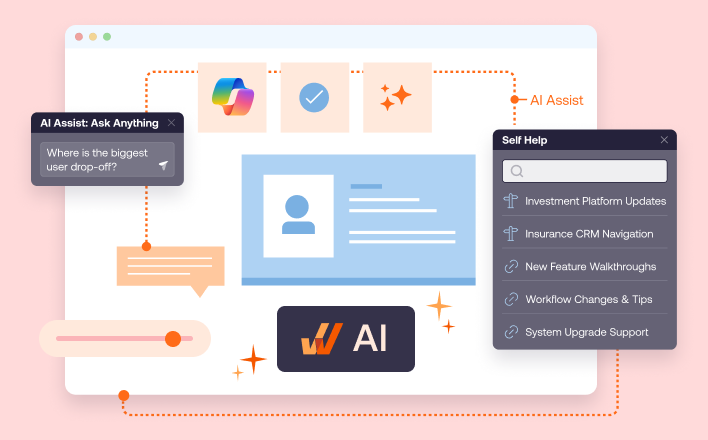
Whatfix supports this kind of continuous transformation through guided user experiences, hands-on simulations, and analytics. It unifies in-flow guidance, sandbox training, and journey-level user insights into an all-in-one digital adoption platform.
This is especially important as enterprise software changes faster. AI features are added. Workflows are redesigned. Compliance requirements shift. Business units adopt new tools. Employees change roles. New hires enter the organization.
A static training program cannot keep pace with that environment. Continuous adoption programs can which enables transformation to become durable when optimization continues after launch.
Digital Transformation Metrics to Measure Adoption
Digital transformation success should be measured the entire application lifecycle, from adoption, workflow performance, support efficiency, employee productivity, and business outcomes.
The most useful transformation adoption metrics are tied to the transformation’s stage. Early metrics show readiness. Launch metrics show user enablement. Post-launch metrics show adoption and value realization.
| ADOPT Stage | What to Measure | Example Metrics |
| Align | Business readiness | Target outcomes, baseline workflow performance, impacted user groups, application scope |
| Design | Workflow quality | Number of process steps, task completion time, friction points, error rate |
| Onboard | Enablement effectiveness | Onboarding completion, guidance engagement, training completion, time-to-proficiency |
| Prove | Adoption and impact | Feature adoption, workflow completion, self-help usage, support ticket reduction, productivity lift |
| Tune | Continuous improvement | Adoption lift over time, updated guidance, recurring user issues, process optimization opportunities |
And, as with all projects, the right metrics depend on each transformation’s context and underlying problem statement or vision.
- In a CRM transformation, leaders may focus on opportunity creation, qualification completion, pipeline stage movement, forecast accuracy, and sales productivity.
- For an ERP transformation, leaders may measure transaction completion, process cycle time, close speed, error reduction, and rework.
- For an HCM transformation, the goal may be employee self-service adoption, HR ticket reduction, onboarding completion, or manager workflow compliance.
- For AI adoption, the measurement model should include both usage and outcome quality. It is not enough to know that users opened an AI feature. Transformation leaders need to know whether AI-assisted workflows improved speed, reduced manual work, increased decision quality, or created measurable productivity gains.
Digital transformation measurement should answer a simple question: did the technology change how work gets done, and did that change create value?
Causes of Transformation Failure (+How to Overcome Each)
Digital transformation initiatives fail when strategy, systems, workflows, and users are managed as separate workstreams. The ADOPT Framework prevents those gaps by forcing every initiative to connect outcomes, workflow design, enablement, measurement, and continuous improvement.
Let’s look at common examples of digital transformation failure points:
Failure Point 1: Unclear Outcomes
When transformation teams define success as “implement the system,” they create a measurement problem from the beginning. The system can launch on time and still fail to improve productivity, cost, compliance, customer experience, or employee performance.
Consider many recent AI transformation failures; often, these are caused by leadership mandating AI technologies onto their teams without a clear understanding of what those teams do, their pain points, or their outcomes.
The fix is outcome alignment. Every transformation initiative should begin with a clear business case, target workflows, impacted users, and success metrics. It should never begin with by identifying a technology and then building a use case around it. Use case or problem state first, technology second.
Failure Point 2: Poor Workflow Design
A new application can still carry old process problems if the process design isn’t built with intention. If workflows remain confusing, fragmented, or misaligned with how employees actually work, adoption will suffer, and legacy issues will persist within the new technology.
The fix is workflow design. Leaders must understand the core problems at hand, map the tasks users need to complete, identify friction points, and define where guidance, automation, validation, or self-help should appear.
Failure Point 3: Generic Training
Traditional training often happens too early, covers too much, and fails to support users when they need help. It atrophies over time, isn’t contextual to various teams, and is treated as a checkmark for rollout teams. Users leave a training session with general awareness but struggle with a specific task days or weeks later.
The fix is contextual, hands-on training before real work paired with in-production workflow guidance. Employees need guidance in the flow of work, especially for role-specific, infrequent, complex, or high-risk tasks.
With Whatfix Mirror, enablement teams can clone applications and their workflows to create simulation environments where users can learn without the fear of failure. This is paired with voice and chat AI roleplay, perfect for customer-facing and frontline teams who must be prepared for common scenarios, edge cases, and de-escalation tactics. Guided workflows provide an added layer of immersion, guiding users along the preferred path to complete tasks.
Once users are in real systems, Whatfix DAP continues to provide user guidance and self-service support, at the moment of need. Flows provide guardrails to help users complete tasks correctly every time. Smart Tips provide timely updates on policy changes or best practices.
Self Help integrates with your Flows, user documentation, shared drives, and other knowledge repositories, providing an AI help assistant that users can use natural language conversation to find answers to any application how-to or process-related question without leaving the app.
Failure Point 4: Low Adoption Visibility
Many transformation teams know how many people attended training or how many users have activated their licenses, but cannot see where users struggle within the application, where friction exists, where workflows break down, or which features are underadopted across teams. Without behavior data, teams guess which workflows need improvement.
The fix is workflow usage and adoption analytics. Application owners need visibility into feature adoption, process completion, drop-off points, help searches, and repeated friction.
With Whatfix Product Analytics, application and process owners gain visibility into their applications and core workflows, including tracking custom events, user journeys, session replays, AI friction identification, cohort-based segmentation, and more. This data helps leaders identify opportunities for improvement and target specific friction points, powering a continuous approach to digital excellence.
Failure Point 5: High Support Burden
When users lack contextual support, they turn to help desks, managers, SMEs, Slack channels, or coworkers. This creates hidden transformation costs from longer task completion times, dependence on subject matter experts for compliant work, and increased support team burden.
The fix is having a hypercare plan to stabilize support issues. Users should be able to find answers without leaving the workflow, via self-sufficient, in-app resolution challenges.
While support issues stemming from software rollouts or new releases are inevitable, enablement and adoption leaders can take a proactive approach to contain support tickets before launch.
This includes testing workflows in a simulated environment before launch to identify friction points. It also includes tracking common support issues post-launch and creating targeted in-app Flows and Self Help entries to resolve them without requiring external support.
Failure Point 6: Process Drift
Even successful launches decay over time. Teams develop workarounds, applications change, content becomes outdated, and new hires learn inconsistent habits.
The fix is continuous tuning and on-demand workflow support. Transformation teams should regularly review analytics, update guidance, refine workflows, and expand adoption programs across applications.
Failure Point 7: Weak ROI Story
Without adoption and workflow data, leaders struggle to prove that transformation investments created business value.
The fix is value realization measurement. Connect adoption data to business outcomes such as productivity, cycle time, cost reduction, risk reduction, or revenue impact. Use this data as your north star to guide continuous process improvement. Set quarterly business reviews with application owners, team leaders, support leaders, and subject matter experts to identify new opportunities and create an optimization roadmap for the following quarter.
Examples of Digital Transformation Adoption Success
The common thread for digital transformation success is user enablement. Each transformation initiative creates value when users can complete workflows correctly, find support in the moment, and improve performance over time.
These examples span different industries, applications, and user groups, but they point to the same operating principle: digital transformation value is realized at the workflow level.
| Company | Transformation Motion | Lesson Learned |
| bioMérieux | CLM transformation on Icertis | Embedded guidance improves adoption, contract workflow governance, and user sentiment |
| REG | ERP and CRM enablement across JD Edwards and Salesforce | In-app training accelerates proficiency and reduces support demand |
| Windward Risk Managers | Insurance policy workflow optimization on Duck Creek | Self-service support and contextual guidance reduce agent confusion at scale |
| Experian | Salesforce productivity improvement | Contextual enablement improves CRM productivity and lowers support and training costs |
1. bioMérieux: Accelerating CLM Adoption With Embedded Contract Workflow Support
- Use Case: User Onboarding, Workflow Support
- User Type: Lead and Procurement teams
- Application: Icertis CLM
bioMérieux, a global leader in in vitro diagnostics, implemented Icertis CLM to modernize contract management across creation, redlining, review, storage, and approval workflows. The initiative gave the organization a stronger system for managing contract lifecycle processes, but users still needed support navigating role-specific tasks, policy requirements, and workflow complexity.
The company partnered with Whatfix to embed support directly into its Icertis environment, internally branded as myHelp. Instead of relying on repeated live training sessions, LMS certifications, or support calls, bioMérieux gave users guidance at the moment of work. Legal and procurement users could access Self Help, follow step-by-step Flows, receive Smart Tips during contract creation, and stay updated through Pop-Ups.
This turned CLM enablement into part of the application experience. Users could complete contract workflows with less confusion, while application owners gained better visibility into where users searched, engaged, and struggled.
The results showed the impact of designing adoption into the workflow: bioMérieux achieved 88% user adoption across myContract users, protected more than 12,000 contracts with guided CLM workflows, increased NPS by 9%, resolved more than 347 user queries through Whatfix, and saved 1,293 hours between January 2024 and February 2025 through in-app guidance and self-service support.
Why it matters for digital transformation ROI: bioMérieux shows how enterprise transformation value depends on workflow-level enablement. The CLM system created the foundation, but adoption accelerated when users received contextual guidance, embedded support, and continuous reinforcement inside the contract workflow.
2. REG: Reducing Time-to-Proficiency for Its Core Systems
- Use Case: User Onboarding and Training
- User Type: Employees across enterprise application workflows
- Application: Salesforce CRM and JD Edwards ERP
Renewable Energy Group, Inc. needed employees to become productive faster across critical operational applications, including Salesforce CRM and JD Edwards ERP. As the company grew, training and enablement became harder to scale. Knowledge was fragmented across documents, screenshots, shared drives, and in-person training. New hires needed significant time to become proficient, especially in complex accounting and operational workflows.
REG used Whatfix to standardize in-application guidance across its enterprise software stack. Instead of forcing users to search through scattered knowledge repositories or rely on tribal knowledge, Whatfix delivered step-by-step Flows and contextual support directly inside JD Edwards, Salesforce, and other applications.
This helped REG turn training into continuous support. Employees could learn at the moment of need, while application owners could update guidance as systems changed and reduce the dependency on live training or repeated support requests.
The impact was significant: REG accelerated time-to-proficiency by 50% across Salesforce and JD Edwards, reduced daily application-related IT support tickets by 83%, and shortened application time-to-proficiency for new employees by three months.
Why it matters for digital transformation ROI: REG shows how adoption programs improve technology ROI by reducing ramp time, support burden, and process inconsistency. When employees learn inside the application, transformation teams can scale proficiency across systems without depending on static training assets.
3. Windward Risk Managers: Streamlining Policy Processing With In-Workflow Agent Support
- Use Case: User Training and Support
- User Type: Claims and Policy Agents
- Application: Duck Creek
Windward Risk Managers supports a large network of agents across underwriting, claims, policy support, and customer service workflows. As agent volume grew, so did workflow complexity inside Duck Creek Policy. Agents needed help identifying forms, navigating quoting workflows, accessing proper guidelines, and completing policy-related tasks without leaving the system.
Before Whatfix, agents had to toggle between Duck Creek and external portals or depend on SMEs and support teams for answers. This created delays, frustration, and high call volume for basic process questions. Windward also lacked visibility into where agents were getting stuck, making it difficult to govern workflow usage or improve enablement.
Windward implemented Whatfix to embed Flows, Self Help, Smart Tips, Task Lists, and Pop-Ups directly into Duck Creek. Agents received support inside the policy workflow, and the support team could guide users at known friction points without forcing them to leave the application.
The results showed both scale and support impact: Windward supported 5,500 agents with guided tasks and on-demand support, reduced claims and policy-related support queries by 87% with Self Help in two months, and drove 100,000 agent interactions with in-app Flows, Task Lists, Smart Tips, and Self Help in the first quarter of implementation.
Why it matters for digital transformation ROI: Windward shows how digital adoption can govern complex operational workflows at scale. By embedding guidance into Duck Creek, the organization improved agent self-service, reduced preventable support demand, and helped users complete policy workflows more efficiently.
4. Experian: Improving Salesforce Productivity With Contextual Guidance
- Use Case: Sales Enablement, Training, and Change Management
- User Type: Sellers
- Application: Salesforce CRM
Experian used Whatfix to embed contextual guidance into Salesforce and improve how users completed sales workflows. Like many enterprise CRM environments, Salesforce was central to productivity, pipeline visibility, and process consistency. But users needed support inside the application to complete tasks correctly, adopt new processes, and reduce reliance on separate training or support channels.
With Whatfix, Experian delivered in-app guidance that supported users directly in Salesforce. Instead of depending only on one-time training or external documentation, users received contextual help inside the workflows they needed to complete.
The results demonstrated the business value of in-workflow enablement: Experian reported a 72% productivity boost, 55% fewer support queries, and a 46% reduction in training content creation costs.
Why it matters for digital transformation ROI: Experian shows how contextual guidance can turn CRM transformation into measurable productivity improvement. When enablement is embedded into the application, users complete work faster, support demand drops, and teams spend less time creating and maintaining traditional training content.
Drive Digital Transformation Adoption and ROI With Whatfix
Digital transformation succeeds or fails in the last mile: whether employees, customers, and partners can use new enterprise software to complete critical workflows. Modernization programs often put enormous effort into system selection, implementation, and change management, then leave users to figure out how to execute new everyday processes on their own.
Whatfix closes that gap with a unified platform for digital transformation adoption and ROI.
With pre-production simulation training, in-workflow guidance, self-service support, product analytics, and AI-powered assistance, Whatfix helps enterprises prepare users before go-live, support them in the flow of work, identify friction across workflows, prove adoption impact, and continuously improve the digital experience.
Prepare users and assess readiness before live work
Digital transformation leaders need confidence that users are ready before new systems and processes go live. Whatfix Mirror enables teams to create sandbox software environments for hands-on, role-based training, so employees can practice critical workflows without touching live systems or risking downstream errors.
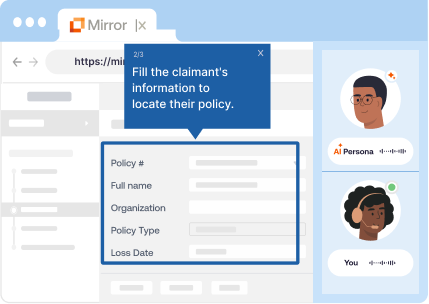
This gives IT, application owners, L&D, and change teams a practical way to validate readiness, reinforce new processes, and reduce go-live disruption. Instead of relying on one-time training attendance as a proxy for preparedness, teams can help users build real workflow confidence before the business depends on them to execute.
In-workflow guidance and self-service at the moment of need
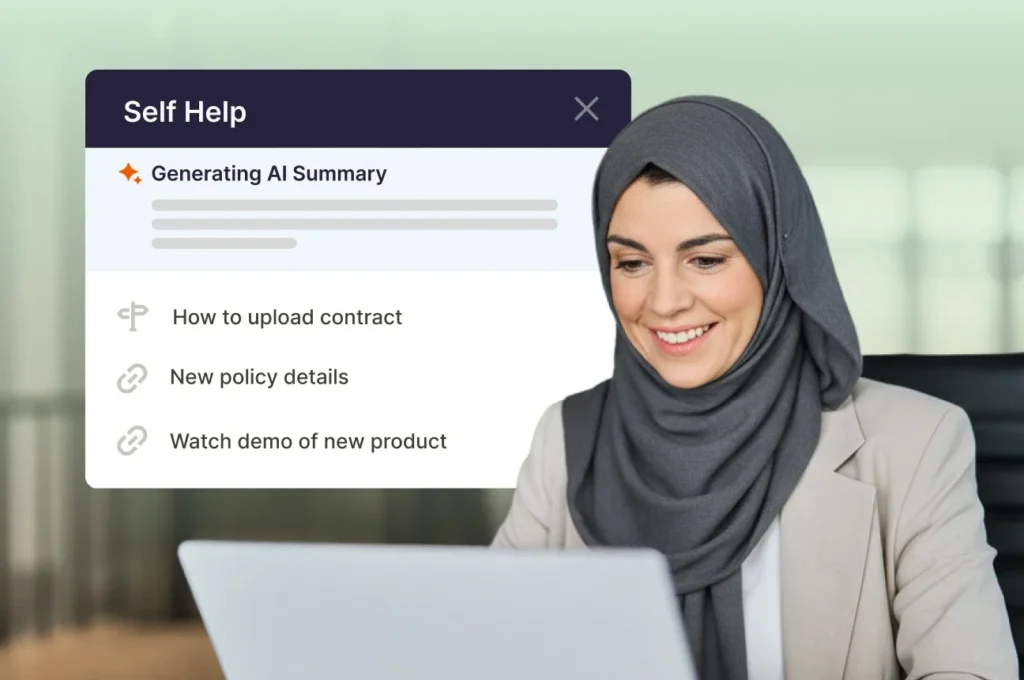
Even well-trained users need support once they move into live work. Whatfix DAP delivers contextual in-app guidance directly inside enterprise applications through Flows, Smart Tips, Task Lists, Pop-Ups, and Self Help, helping users complete tasks correctly without leaving the system to search documentation or submit support tickets.
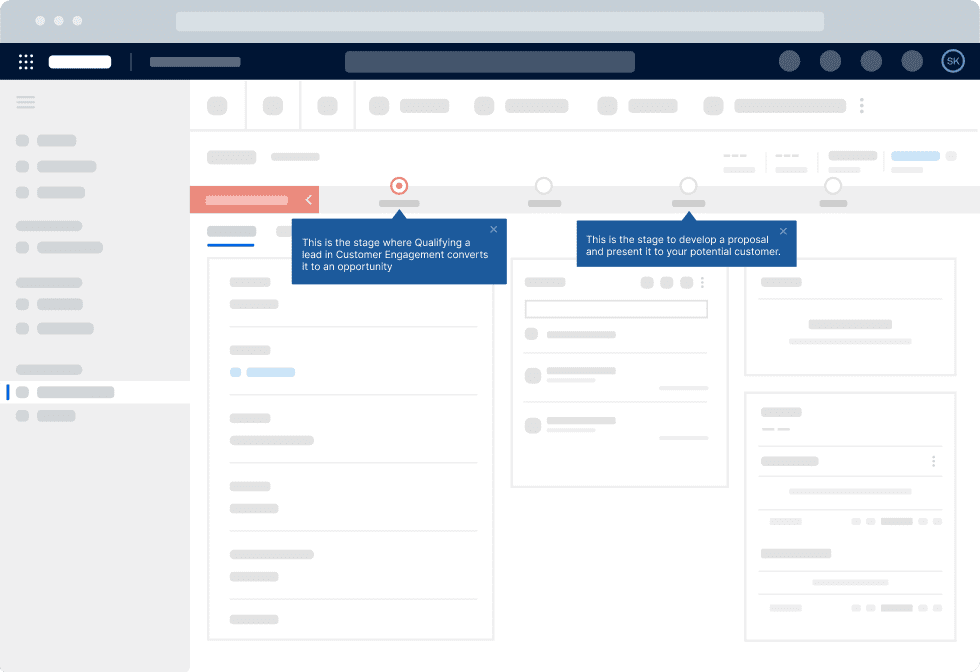
For large enterprises, this is where adoption becomes operational. Employees receive step-by-step assistance tailored to their role, task, and context, while support teams reduce repetitive “how do I?” requests, and application owners drive more consistent process execution across complex workflows.
Identify where users need guidance, support, or reinforcement
Digital transformation teams need visibility into where users struggle, not just whether they logged in. Whatfix Product Analytics helps teams identify friction points, drop-offs, errors, underused features, and workflow gaps across enterprise applications.
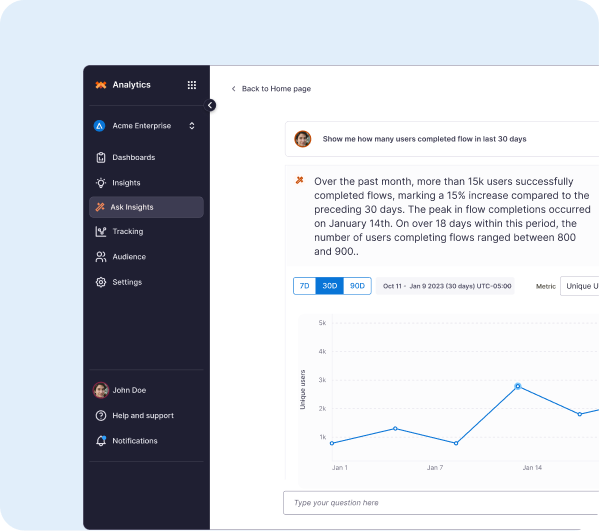
Those insights turn adoption from a guessing exercise into a measurable operating model. Application owners, IT teams, and business leaders can see which processes need better guidance, which user segments need reinforcement, and which parts of the digital experience are slowing transformation outcomes.
Prove adoption ROI
Digital transformation ROI depends on whether users adopt the workflows that drive business outcomes. Whatfix helps teams connect adoption efforts to measurable signals like process completion, time-to-proficiency, productivity, support deflection, compliance adherence, data accuracy, and feature engagement.
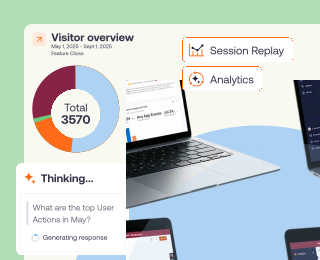
This gives CIOs, transformation leaders, and application owners a stronger way to communicate impact beyond implementation milestones. They can show how digital adoption improves software value realization, accelerates time-to-value, and increases the return on enterprise technology investments.
Optimize continuously
Digital transformation does not end at go-live. Workflows change, applications evolve, compliance requirements shift, and users continue to need new forms of support. Whatfix helps teams use adoption data to refine guidance, update training, improve self-service content, and scale support across new processes, applications, and user groups.
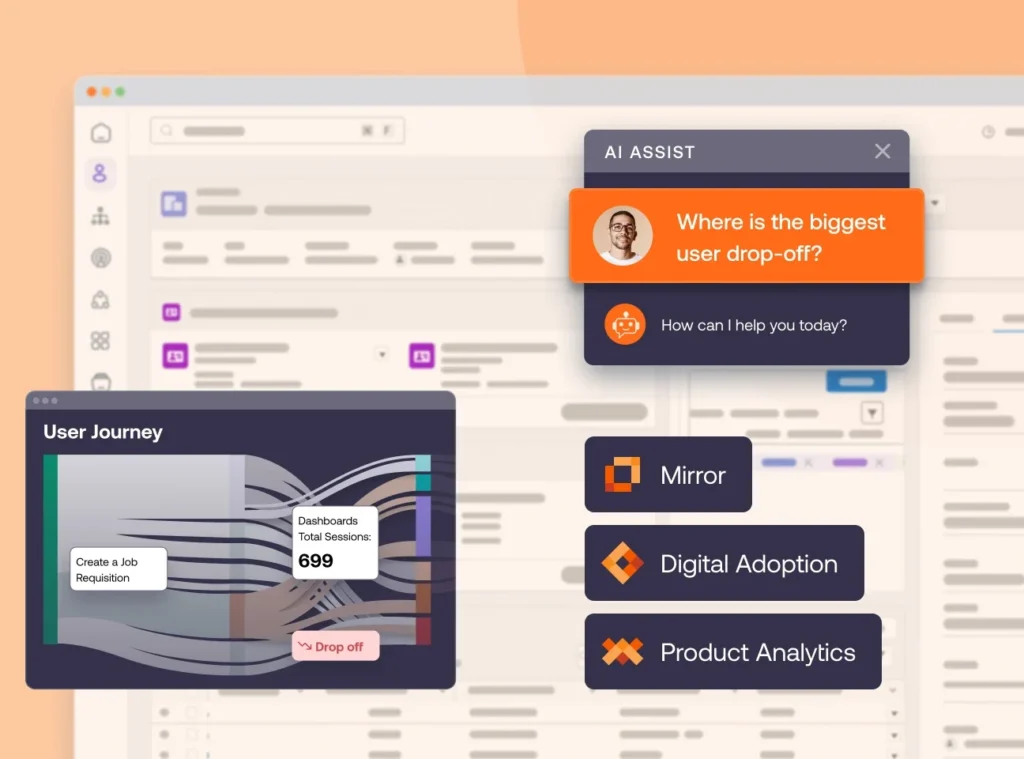
With Whatfix, transformation becomes a continuous adoption loop: prepare users, guide them through the workflow, analyze behavior, demonstrate impact, and optimize the experience over time. That loop is what turns enterprise software from a deployed system into a business outcome engine.
Ready to get started on your digital adoption journey? Request a Whatfix demo now!