








96.1% of your unhappy users will churn straightaway without reaching out to support, opening any tickets, or contacting their account manager.
Churn rates differ by industry but veteran venture capital guru Andrew Chen estimates that 77% – 90% of consumer application users churn within 90 days, and the No. 1 reason is that they don’t complete activation.
If you can’t ‘wow’ users during onboarding, they won’t stay. No matter how good your product is, there are so many alternatives out there that you shouldn’t expect them back.
It doesn’t matter how much of your budget you sink into acquiring new users via paid acquisition or outbound tactics—you’ll end up with a net negative if you’re not retaining enough of them long-term. Instead of focusing on acquisition, you might want to double down on building a better product adoption engine.
Stonly is a digital adoption platform (DAP) that empowers organizations to drive end-user adoption of internal IT investments, like CRMs, ERPs, HCMs, and any enterprise software application.
In this article, we’ll explore Stonly’s digital adoption platform, its features, pricing, and limitations – as well as the best Stonly alternatives to consider.
What are the best alternatives to Stonly in 2023?
- Whatfix
- UserGuiding
- Userpilot
- Appcues
- HelpHero
- PageGuide.JS
- IntroJS
What Is Stonly?
Stonly is an interactive guidance, knowledge base, and troubleshooting management platform that products and websites can use to create interactive step-by-step guides that help your users learn how a product works, discover relevant help content, and troubleshoot issues.
It is a no-code platform that helps websites roll out:
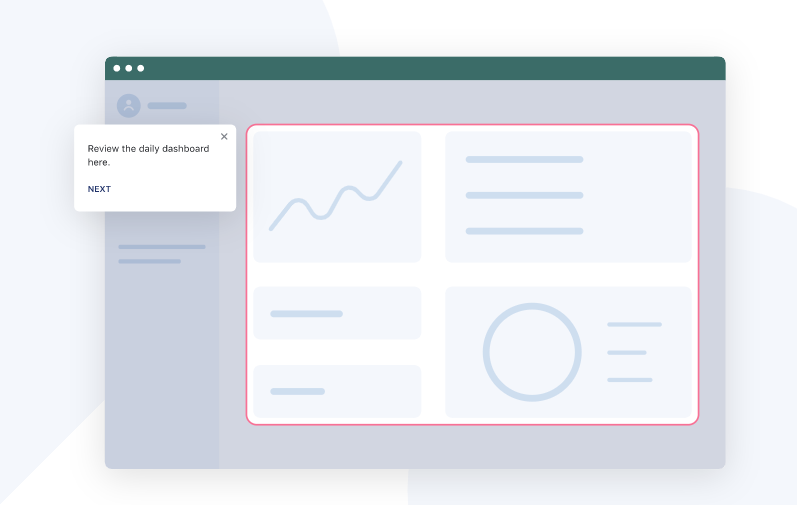
- Product tours, onboarding flows, and user journeys that teach new users how to get the most out of your product
- Internal knowledge bases that are searchable, easy to maintain, and interactive so you can educate your internal users with step-by-by step guidance, and
- Personalized surveys that syncs with your CRM
But there are dozens of direct competitors and alternatives you can use instead. If you decide to stick with Stonly, will it be your best option for the best price? How does it compare to all the alternative digital adoption platforms out there?
In this article, we’ll dive into all of Stonly’s features, what it does extremely well, where it falls short, how much it costs, and the alternatives to explore.
What Features Does Stonly Offer?
But there are dozens of direct competitors and alternatives you can use instead. If you decide to stick with Stonly, will it be your best option for the best price? How does it compare to all the alternative digital adoption platforms out there?
In this article, we’ll dive into all of Stonly’s features, what it does extremely well, where it falls short, how much it costs, and the alternatives to explore.
1. Personalized product tours
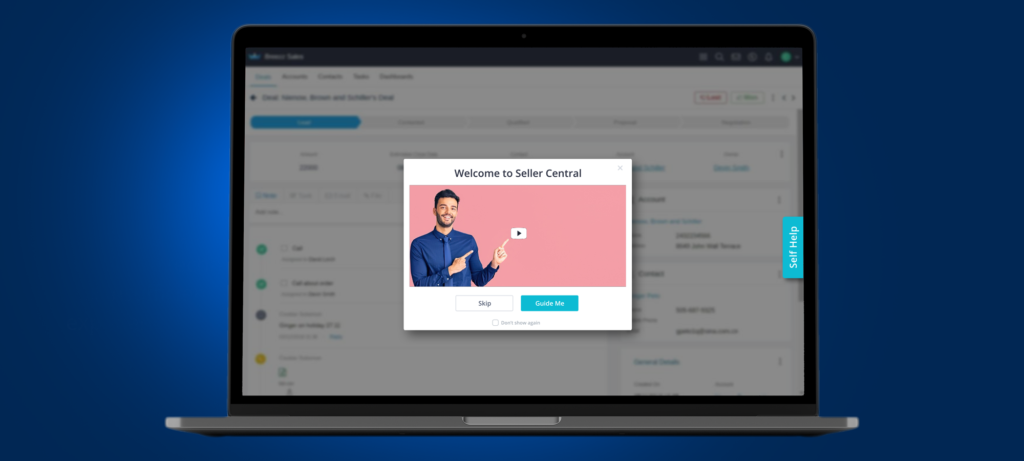
A product tour is a step-by-step instructional guide of an application or a website’s key features and user interface. Product tours use images, videos, and animated portrayals to show new users how a product works and get them to try out its features.
Instead of offering a one-size-fits-all onboarding workflow when users sign up for your product, software vendors and webmasters can use Stonly to customize onboarding experiences for each user depending on what they want to use your product for and their user data.
2. Internal knowledge base
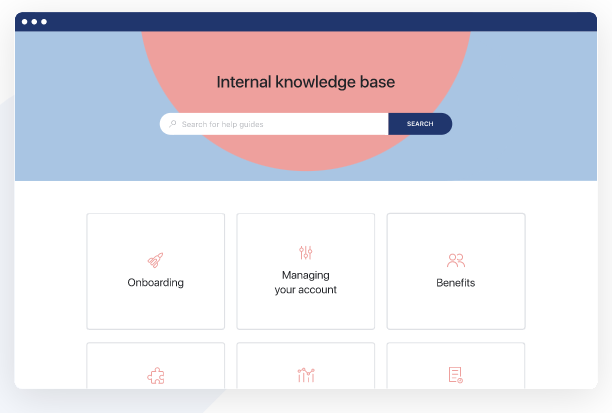
Stonly offers interactive knowledge bases designed to help employees find internal documentation quickly. You can also integrate Stonly with the rest of your software stack and embed those guides and articles right inside your third-party SaaS applications such as HubSpot.
Whatfix does something similar, but unlike Stonly, it doesn’t just let your employees read help docs embedded in Salesforce or Zendesk; Whatfix can customize the support documentation it serves based on an employee’s role. That way, your employees can find the help docs they need to fix issues quickly.
3. NPS surveys
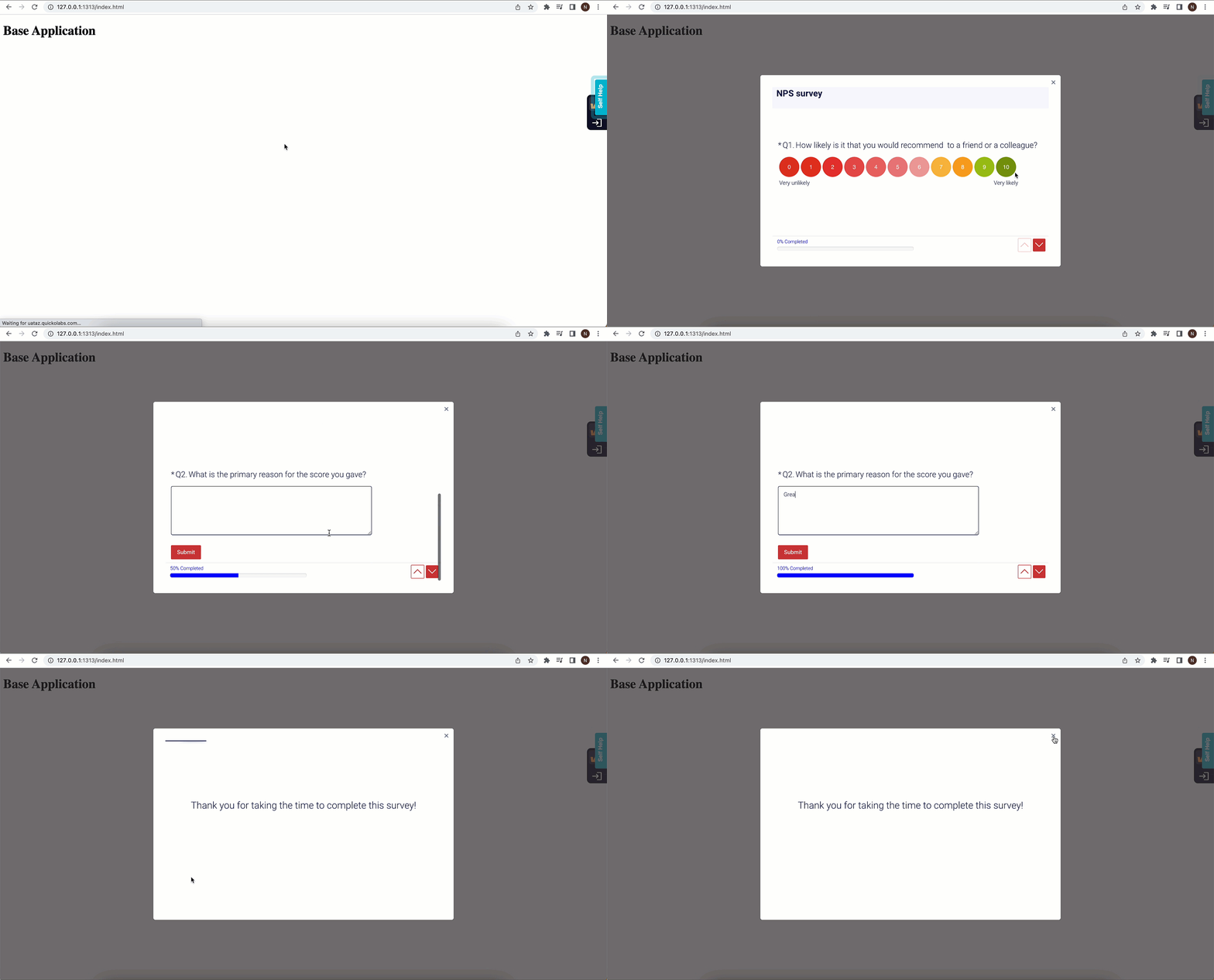
Stonly helps product teams build NPS customer feedback surveys that look great without writing a line of code and learn how likely it is that your customers will recommend your product, or why not. Stonly also offers post-surveys paths that recommend different actions based on a user’s experience.
4. Custom contact forms
Traditional contact forms are a great way to capture static information such as names, email addresses, and questions; Stonly takes it a step further with dynamic forms that qualifies submissions, customizes answer fields, and recommends relevant resources based on a user’s previous answers.
5. Customer support scripts and troubleshooting playbooks
Stonly works like an add-on on top of customer service tools such as Zendesk or Intercom and helps you create step-by-step conversation playbooks and scripts your agents can follow (right inside Zendesk or Intercom) to guide customers easily.
In a way, Stonly works like a chatbot, but in this case, it doesn’t use machine learning to throw out answers that are likely to be wrong. Instead, Stonly helps you create playbooks that anticipate different scenarios and helps your customer success guide the conversations with templated replies with just a few edits.
Stonly Pricing
- Starter: $99 per month, for up to 2,500 monthly views and supports three team members
- Business: $199 per month, for up to 4,000 monthly views and supports five team members; 15,000 guide views per month cost $200 extra (i.e. $399 per month) and 30,000 guide views per month cost $400 extra (i.e. $599 per month)
- Enterprise: Stonly’s enterprise tier offers advanced features like localization (i.e. auto-translate guides based on a user’s location), team rights management, priority support, and integrations with Zendesk, Freshdesk, and Front.
Looking at Stonly’s pricing, it appears they’re significantly cheap, but the limits they place on your subscription will bump you into Stonly’s costlier plans once your usage grows and you start to rely on the product.
For example, Stonly’s starter plan costs $99 per month (i.e. $1,188 per year), but you need to upgrade once you have more than three seats. The Starter plan’s features are also nerfed, and you are limited to just one knowledge base and the ability to embed help resources on your app, websites, etc.
4 Reasons to Consider a Stonly Competitor
Reviewing a competitor’s product objectively can be hard because you want to find a balance between their product’s strengths and weaknesses, without becoming biased.
At this stage, we can agree Stonly packs a punch, but in many cases, it does a lot of things just okay (and even poorly, in some cases) for a product adoption platform.
1. It’s highly technical
One of Stonly’s biggest selling points is that users can embed their help docs on their websites and applications.
But you need quite a bit of technical expertise to integrate Stonly, and depending on which framework your application or website is built with (or if you use dynamic code to generate elements in your product), you may need to rewrite parts of your codebase or it won’t work.
2. Limited user onboarding features
Stonly markets itself as a product adoption engine businesses can use to onboard new users and provide continuous guidance throughout the user lifecycle. But, for a product that makes such bold claims, Stonly lacks essential features such as tooltips, checklists, and smart tips that call your users attention to certain features or announcements.
If you’re a startup or a small business, there’s no doubt that Stonly would serve your use cases excellently. But if you’re an enterprise that needs a complete onboarding stack that goes beyond banners, product tours, and help docs, Stonly can be underwhelming.
3. Poor product analytics
Product analytics is the key to great user experience—after all, you can’t optimize your user experience if you don’t even know exactly how your users are interacting with your product.
Stonly limits you to net promoter score surveys (a limited way of gauging user sentiment on their own) and a handful of metrics. You don’t get anything more than surface insights into how users interact with your product, which features they’re using, where they face challenges, and where engagement rates rise or fall.
4. No in-app user feedback
Stonly integrates with third-party applications like Zendesk, HubSpot, and Intercom. This makes it possible to access your help docs inside the applications your team already uses for their day-to-day workflow.
Sadly, users can’t provide feedback on these embedded resources via whatever application they access your guides.
As a product, Stonly is designed in a way that it does a lot of things —product adoption, customer service, and internal knowledge management just passably. In many cases, these features are a mile wide and an inch deep: they’re constrained and are not sufficiently developed to serve an enterprise customer’s use cases.
7 Best Alternatives to Stonly
Instead of limiting yourself to Stonly and trying to work around the product’s shortcomings, there are several alternatives to consider. These are product adoption platforms you can use to build onboarding experiences and enhance the first impression your product makes your new users.
Here we’re going to review seven alternatives to Stonly’s product adoption features, how they work, if (and how) you can start using them without code, as well as their pricing, the quality of support you can expect, and the market sentiment around them.
1. Whatfix
- G2 Review Rating: 4.6 out of 5 stars, across 240 reviews
- Price: N/A – contact for a custom quote
Whatfix is a digital adoption platform alternative to Stonly that has been named a Leader in G2’s Digital Adoption Platform category for 4 straight years. Whatfix is a no-code product adoption platform designed to help enterprise users onboard new users quickly with step-by-step guidance right inside your product’s dashboard.

Our product acts like a canvas on top of your application, that:
- Highlights important features with alerts, hotspots, banners, and smart tips.
- Enables users to access help docs and support content without leaving page they’re visiting.
- Simplifies the onboarding process with checklists and step-by-step walkthroughs.
- Gives you detailed analytics into how your users are interacting with your product.
Compared to Stonly, Whatfix is a more robust platform, especially for enterprise users who want to try out more adoption tactics, educate users, and monitor your user experience to see where you might need to make changes.
Here are a few additional reasons to choose Whatfix as your DAP:
- Easy installation: While WalkMe installation requires some technical knowledge, starting with Whatfix is as simple as adding a browser extension.
- Automated content creation: When you create walk-throughs, Whatfix automatically generates the information in multiple content formats, including slideshows and videos.
- SCORM Compliance: Whatfix’s SCORM-compliant packages enable you to easily upload walk-throughs to your learning management system (LMS) to create interactive courses.
- Contextualized guidance: Whatfix offers relevant walk-throughs and self-help articles, depending on the person’s role and their location within the application.
2. UserGuiding
- Review Rating: 4.7 out of 5 stars
- Pricing: Starts at $69 per month, billed annually (i.e. $828/yr)
UserGuiding is another alternative to Stonly that offers onboarding elements like in-app surveys, and self-serve knowledge bases users can access on-demand to solve issues without contacting support.
Compared to alternatives like Stonly, Userpilot, and Appcues, Userguiding is a far cheaper option and it offers features that go shoulder-to-shoulder with the competition. Its biggest weakness is that it’s a younger product (founded in 2017), and you need to know CSS to be able to customize your onboarding experience beyond the basics.
3. Userpilot
- Review Rating: 4.6 out of 5 stars
- Pricing: Starts at $249 per month, billed annually (i.e. $2988/yr)
Userpilot bundles together onboarding, product adoption, and growth into one platform where you can:
- A/B test different onboarding and product experience flows
- Scale up product adoption with onboarding experiences customized based on a user’s persona and in-app behavior
- Reduce time-to-value for new users by getting them to try your product’s key features
- Simplify the onboarding process with step-by-step walkthroughs, checklists, and tooltips
- Gauge user satisfaction with in-product surveys and NPS surveys,
Frankly speaking, Userpilot is yet another confusing product —great marketing, but it has so many features that it’s hard to figure out which ones you need. Their customer support leaves a lot to be desired and they support just a few native integrations with major enterprise applications your team probably already uses.
4. Appcues
- Review Rating: 4.7 out of 5 stars
- Pricing: Starts at $249 per month, billed annually (i.e. $2988/yr)
Appcues is a user experience platform for onboarding new users and increasing your product’s adoption. Like most of the top alternatives on our list, Appcues gets several parts of the product adoption experience right, such as:
- Engaging walkthroughs on mobile and web applications,
- Customizable in-app announcements, and
- NPS surveys that you can roll out without writing a line of code.
On the other hand, it can be difficult to integrate Appcues with your application, depending on which framework it’s built on (let’s say, AngularJS) and there’s a limit to how much you can customize elements without coding.
Appcues is also on the pricier end. In comparison, Stonly’s mid-tier (i.e. Business) plan costs just $199 per month for up to 4,000 monthly views of your guides, while Appcues’ mid-tier Growth plan costs $879 per month (i.e. $10,548 per year) for 2,500 monthly active users.
5. HelpHero
- Review Rating: 4.9 out of 5 stars
- Pricing: Starts at $55 per month, for 1,000 monthly active users (MAUs)
HelpHero is a no-code onboarding assistant designed to help product teams to:
- embed customizable highlights on every page, down to the text formatting, color, and size,
- engage users with embedded media such as video and animations (i.e. GIFs),
- flashing highlights and product tips that provide contextual nudges,
- access detailed analytics that show conversion rates for each stage of the onboarding process so that you know what you optimize or leave as-is, and
- use customizable messaging that shows users unique content based on their location, language, and user profiles.
HelpHero is easy to install, supports multiple browsers and operating systems, and is compatible with HTML applications. On the other hand, it has poor documentation, offers limited product analytics, and you need to know how to code CSS to be able to customize it beyond the basics.
6. PageGuideJS
- Pricing: Open-source, free for self-hosting
Pageguide.js helps developers embed interactive elements on their applications and websites using jQuery and CSS3. It’s an easy way to inject welcome banners, highlights, and walkthroughs into your existing code.
To sum up:
- Pageguide is a bit technical and you need to know how to code to use it,
- The product offers very little in the way of actual product adoption—it just highlights elements on your website or application,
- It’s not being maintained —the last version was released in 2017 and there are unresolved issues from 2015.
Pageguide.js was designed with hobbyists, developers & technical users in mind and if you’re an enterprise customer that prefers a solution that works out of the box, Pageguide won’t be the solution you’re seeking.
7. IntroJS
- Pricing: Free for non-commercial projects; mid-tier plan starts at $49.99 for a lifetime license
Intro.js is a lightweight JavaScript library for creating product walkthroughs. It’s perfect for building floating highlights, progress bars, and scrollable page-in-page experiences for WordPress websites. It’s also open-source (so, you can fork the project or self-host it).
Beyond that, Intro.JS is extremely limited: you need to be technically proficient to start using it and it lacks basic features like checklists, help centers, NPS surveys, or detailed analytics. The product doesn’t appear to have a full-time team developing it. It also has quite a few unresolved bugs, and unless you’re a hobbyist trying to build a basic onboarding experience for your side project, you will find Intro.js limiting and mediocre.
Why Whatfix Is the Best Stonly Alternative
Compared to Stonly, Whatfix is a more comprehensive product adoption platform designed for enterprises. Our platform makes it easy to:
- Cultivate your users’ attention with guided walkthroughs and onboarding checklists
- Measure engagement at each stage of the onboarding process with product analytics,
- Reduce time-to-value by showing users how your product solves their biggest pain points
- Collect feedback with NPS surveys
- Build onboarding experiences that work on web and mobile
- Localize your onboarding content and help documentation—you can create just one version of your help docs and when your users choose any one of the 70+ languages we support, Whatfix will translate it immediately
- Embed your knowledge base on Salesforce, HubSpot, Zendesk, and the applications your customer support team does most of their work from
Whatfix offers a single platform where you can onboard new users with guided walkthroughs and non-intrusive pop-ups, alerts, and tooltips. You can deploy Whatfix in just a few minutes, and start delighting your users with a simple onboarding experience customized to fit each user’s needs.